AI video analytics: how cameras recognize objects
A camera delivers an image. Artificial intelligence helps interpret it. The first step is to find the object of interest and locate it in the frame.
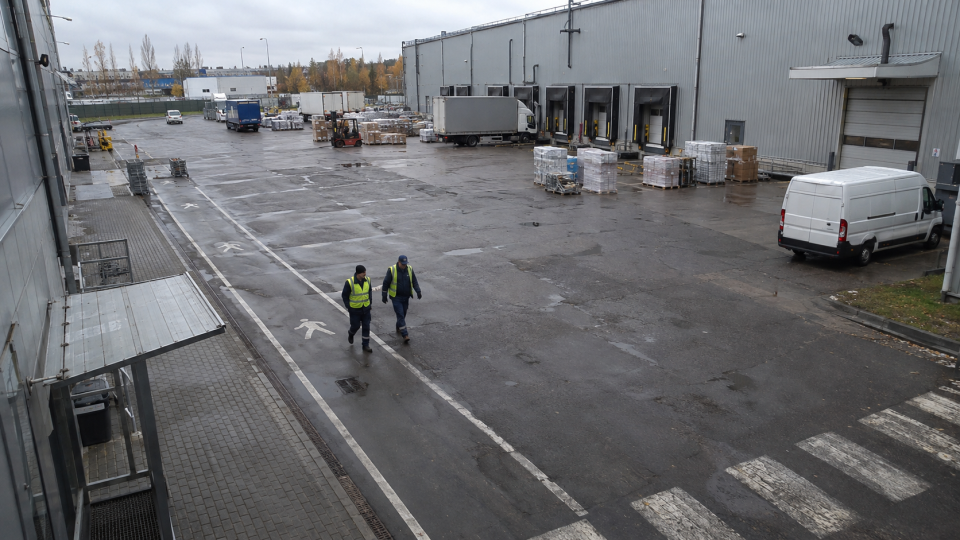 Illustration / Deepvizor
An object box is the start of a workflow. It becomes useful when detection connects to a site requirement and a clear response.
What a detection box tells you
A warehouse entrance camera sees people, vehicles, shadows and road markings. An object detector looks for predefined classes and returns their positions. A box marks the image region the model identifies as a person or a vehicle.
Detection answers what is in the frame. Deciding whether a person crossed a line or stayed in a zone requires further processing: connecting observations over time and evaluating rules. Object detection and a complete business workflow are different stages of the system.
DEIMv2: combining context and detail
DEIMv2 offers several model sizes. Its larger variants combine DINOv3 features with a Spatial Tuning Adapter, bringing semantic context and fine details into multi-scale representations. Compact variants address smaller compute budgets. The overall pipeline extracts and combines features, then refines predictions about an object’s class and position.
Research approach explained using Real-Time Object Detection Meets DINOv3.
Test the complete video pipeline
A model cannot recover detail the camera never captured. Review the camera angle, lighting and target size in the frame. Daylight, night-time operation and backlighting should be separate test conditions.
Measure performance end to end: stream reception, decoding, processing and event delivery. Research benchmarks help compare approaches; site footage helps assess the chosen camera and compute setup.
A useful pilot starts with a clear question
Define one measurable task, such as finding a person in a marked zone. Collect ordinary passages, partial occlusions and difficult lighting. Include clips without the event to evaluate false alerts.
Record missed events, unnecessary notifications and response delay separately. Agree acceptable results with the people receiving alerts. Repeat the test after changing camera positioning or settings.
Connect detection to a response
Define the zone, trigger and recipient. An event can reach the dashboard, email, a messenger integration or an enterprise system through JSON API. A configured relay or speaker workflow can provide an on-site response.
The pilot should validate the full chain: the object is visible, the condition is met, the event is delivered and the recipient knows what to do next.
Which cameras support video analytics?
Check stream availability through RTSP or a compatible ONVIF integration, resolution and viewpoint. Camera brand alone does not determine recognition quality: the target object must be visible.
Relevant scenarios and hardware
Explore these scenarios and devices to define a pilot task and configuration.
Explore the detector library and Deepvizor hardware.