On-site video analytics: processing video locally
A compute device connects camera footage to useful events. It can be installed at your site, close to the camera network and equipment configured to respond to alerts.
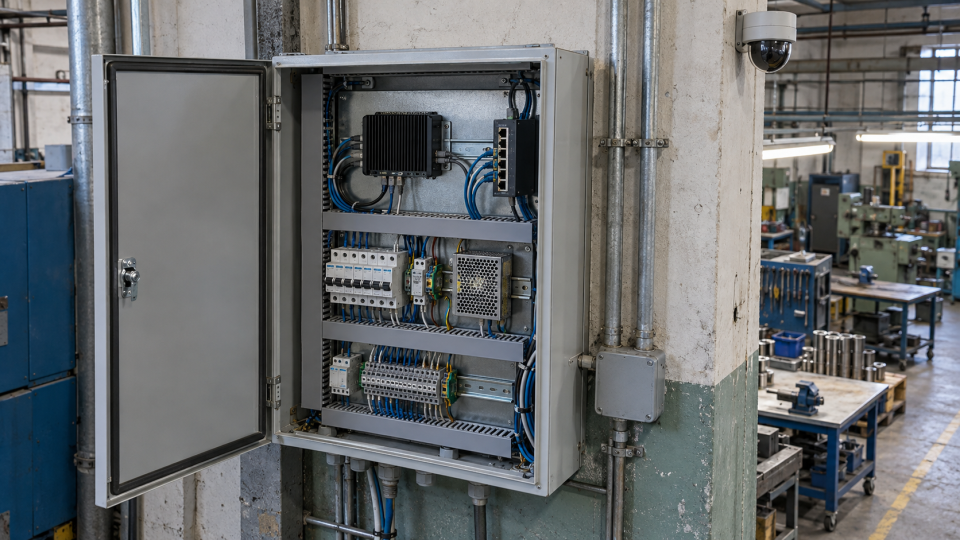 Illustration / Deepvizor
Size the device for the complete workflow: streams, detectors, decoding and event delivery. One processing-power number is not enough.
Start with the video pipeline
Camera streams must be received, decoded and analysed. A local device can support processing without continuously sending all footage to a remote site. Outbound data depends on the configuration, such as notifications and event clips.
A practical warehouse setup connects cameras, compute and operators through the site network. A configured speaker or relay can provide a local response.
EdgeCrafter: compact models specialised for a task
EdgeCrafter studies compact vision transformers for limited memory and compute budgets. Task-specialised distillation transfers knowledge from a stronger model into a compact representation. Detection representations also support segmentation and pose estimation through lightweight modules. The design considers both the task and the device constraints.
Research approach explained using EdgeCrafter: Compact ViTs for Edge Dense Prediction via Task-Specialized Distillation.
Account for the full workload
Review stream counts, resolution and selected workflows. Decoding, the interface, clip storage and network traffic also consume resources.
Test all required cameras together and reserve capacity for maintenance and additional scenarios. Check cabinet temperature, ventilation, power and service access.
Separate local processing from external delivery
Video analysis can run on site while email or cloud messenger delivery still needs an external connection. Test these parts separately.
Agree what should happen if a delivery channel becomes unavailable: where operators see events, which local responses remain available and how delivery resumes. Validate the agreed configuration.
Verify the response under load
Trigger a test event and follow it to the recipient. Measure delay, check the message and validate peripheral behaviour under normal workload.
For multiple devices, plan administration through a shared dashboard before expanding the installation.
Will video analytics work without internet access?
Local analysis can run within the enterprise network. Email, external messengers and remote systems require connectivity. Verify analysis, the dashboard, local responses and notification delivery separately.
Relevant scenarios and hardware
Explore these scenarios and devices to define a pilot task and configuration.
Explore the detector library and Deepvizor hardware.